Uk33 App — Why Download the App?
These days, most people handle everything on their phones — shopping, payments, entertainment. That's why uk33 has brought its entire platform into one compact, smart app. It's designed to free you from the hassle of opening a browser, logging in, dealing with page reloads, or games dropping out on a slow connection.
One of the biggest advantages of the uk33 app is that it works equally well on both Android and iOS. It runs on older phones too, doesn't require much RAM, and uses minimal data. It takes up around 30 MB of storage, so you won't have to worry about space on your device.
The first time you log in after downloading the app, you'll find everything neatly laid out. Live Casino, slot games, Sports Betting, deposits, withdrawals — it's all accessible from a single menu. No need to hunt around for anything.

How to Install the uk33 App on Android
Installing the uk33 app on Android is straightforward. Even though it's not available directly on the Google Play Store, you can download the APK file from uk33's official site and install it in just a few minutes.
Go to your phone's Settings, then under Security or Privacy, enable "Unknown Sources" or "Install Unknown Apps." This is only needed during APK installation — you can turn it off afterwards. Then visit the uk33 site, download the Android APK, open the file, and tap "Install." That's all there is to it.
Once installed, the uk33 app icon will appear on your home screen. Whenever an update is available, uk33 will send you a push notification — just download the new APK and reinstall to stay up to date.
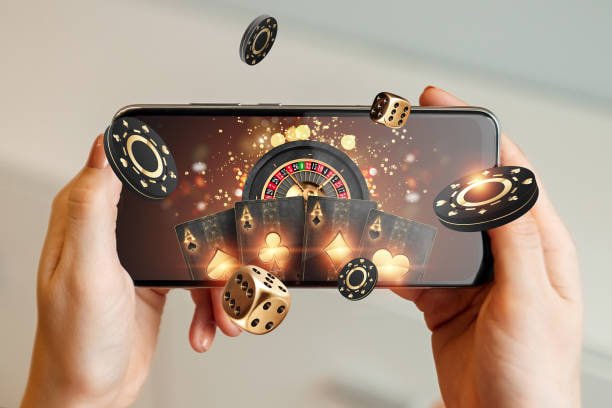
How to Use the uk33 App on iPhone
There are two ways to use the uk33 app on iOS. The first is to open uk33's site in Safari and tap "Add to Home Screen" — this creates a shortcut that looks and feels just like a native app and runs in full screen. The second is to install the app via uk33's iOS TestFlight or a designated Enterprise profile.
Adding uk33 to your Home Screen via Safari requires no extra permissions, no Apple ID, no password — and it's completely free. The uk33 web app runs beautifully on iPhone with a touch-responsive interface, fast loading, and low battery consumption.
IOS users will receive uk33 push notifications, new bonus offers, and live event updates directly from their home screen — no complicated settings required.

What features are available on the uk33 app?
The uk33 app is more than just a place to play — it's a complete gaming hub. Open the app and you get live casino dealers in real time, hundreds of slot game options, and live odds for Sports Betting, all on one screen.
Deposits can be made directly from the app — via Mobile Banking, Nagad, Rocket, or card. Once payment is complete, you'll receive an instant push notification, so there's no need to check manually. Withdrawal requests can also be submitted right from the app.
Another great feature of the uk33 app is auto-login. Once you've logged in, the app takes you straight to your dashboard every time you open it — no need to re-enter your password. You can also log in with fingerprint or Face ID for an extra layer of account security.
New users get a special perk on the uk33 app — your first deposit made through the app may qualify for an exclusive welcome bonus. This type of offer is generally not available to browser users, making the app download well worth it.

App Security & Privacy
Many users have concerns about security when downloading the uk33 app — especially with APK files. Rest assured, APKs downloaded from uk33's official site are completely safe and free from viruses or malware.
The app uses SSL encryption, so there's no risk of your login credentials or payment data being compromised. uk33 does not share user information with any third parties. You can also enable two-factor authentication (2FA) in the app for added security.
If your phone is lost or stolen while you're using the app, there's no need to panic — you can remotely log out of any device through the uk33 website. Your account stays protected.
Uk33 App Updates & Support
Uk33 regularly releases app updates — adding new games, fixing bugs, improving performance, and applying security patches. With every update, uk33 aims to make the app lighter and faster.
Keep uk33 app notifications enabled to stay on top of updates. When a notification comes in, you can download and install the latest version in a single tap. All uk33 features work on older versions too — but the latest version comes with the most new benefits.
For any app-related issues, uk33 offers 24/7 live chat support. Whether it's an installation problem, a login issue, or a game not loading — the support team is ready to help.
Platform Choose
Download the APK file, enable Unknown Sources, and install — takes just 2 minutes.
Open uk33 in Safari, tap the "Share" icon, then select "Add to Home Screen".
How How to Install
Android Installation Guide
Open the official uk33 site.
Tap the Android APK download button.
Enable Unknown Sources.
Open the APK, tap Install, then log in.
iOS Installation Guide
Open the uk33 site in Safari on your iPhone.
Tap the Share icon at the bottom.
Select "Add to Home Screen".
Tap the home screen icon and log in.
Platform Comparison
| Features | Android APK | IOS (PWA) | Browser |
|---|---|---|---|
| Installation Guide | APK File | Add to Home | None |
| Push Notifications | |||
| Offline Mode | |||
| Auto Login | Partial | ||
| Biometric Login | Face ID | ||
| Loading Speed | Fastest | Fast | Medium |
| Bonus Offers | Exclusive App Bonus | Exclusive App Bonus | Standard Bonus |
Only download the uk33 app from the official uk33 site. Downloading APKs from third-party or unknown sources is not safe. uk33 never shares APKs via Telegram or WhatsApp — stay alert.